
#
Shift Logging

Depreciation Notice
As of May 2025, we are discontinuing the use of ERM services and have migrated to Melonly.
Here at SoCal, we log shifts via Melonly; shifts are mainly logged via the website's moderator panel, although you may use /shift manage via the Melonly Discord bot as well. The guide below will assist you for using the website's moderator panel to log your shifts. If you have any issues please open a ticket or contact an HR for more assistance.
- You are permitted to be on duty whenever a session is online, and must end it immediately upon a session shutdown.
- At SoCal, we don't use liveries or uniforms. All staff are expected to maintain a 50/50 balance between realistically roleplaying, strictly following all server rules and guidelines, and properly fulfilling their staff duties.
- Additionally, staff do not receive access to the WL group and must be a part of a WL department to obtain access.
#
Melonly Moderator Panel
Moderator Panel
The Melonly panel can be found here
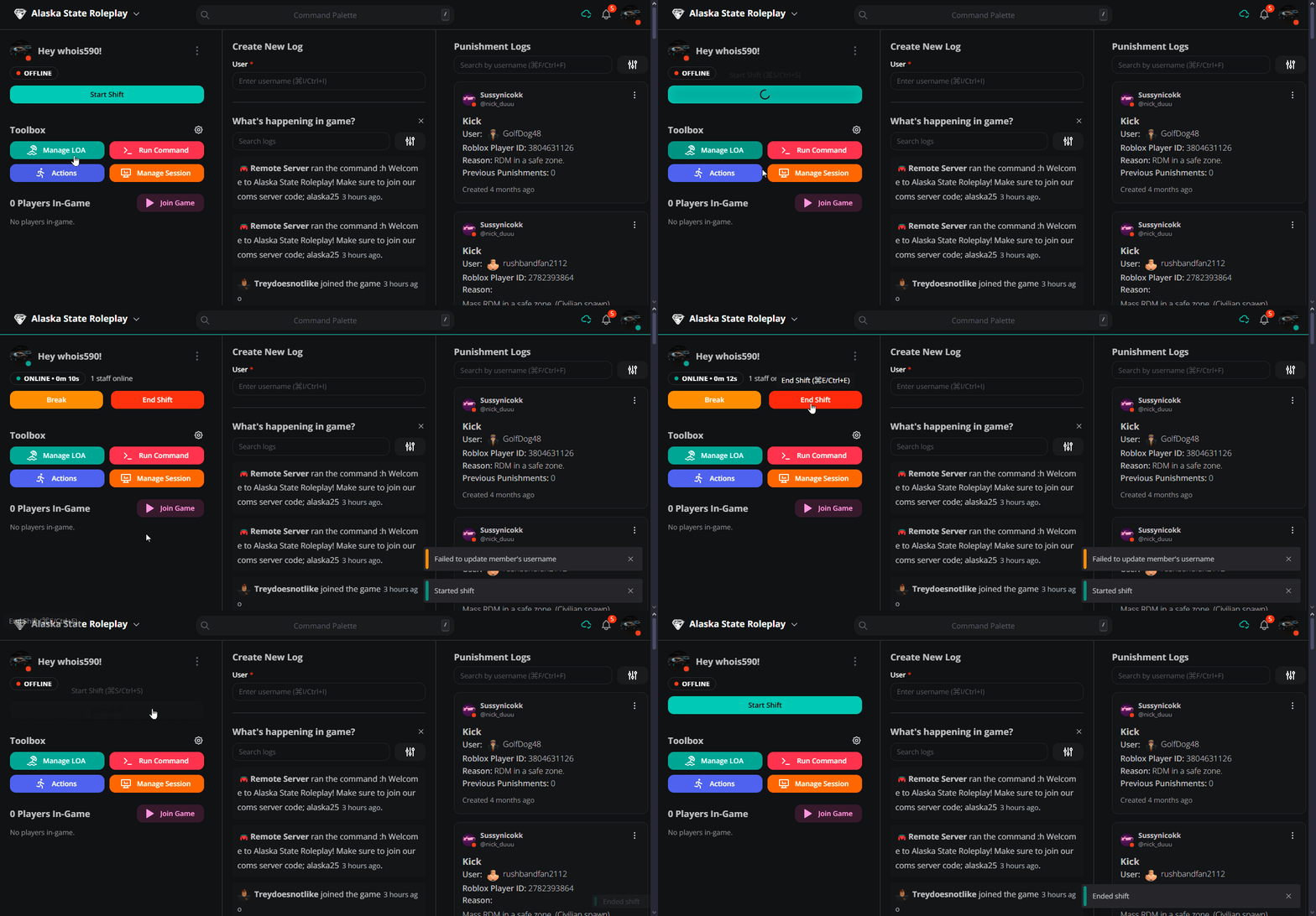
To use the website to start your shift, head to the moderator panel on the dashboard and find "Start Shift" once you've clicked that there will be a button "End Shift" which will end your shift. There is also a pause shift feature but we ask you only use this for short amounts of time. Upon starting your shift you may enable auto end shift on disconection from the panel, this means if you close the website then your shift will automatically end. This automatically syncs with the panel.
This system can be seen below:
#
Melonly Discord Bot
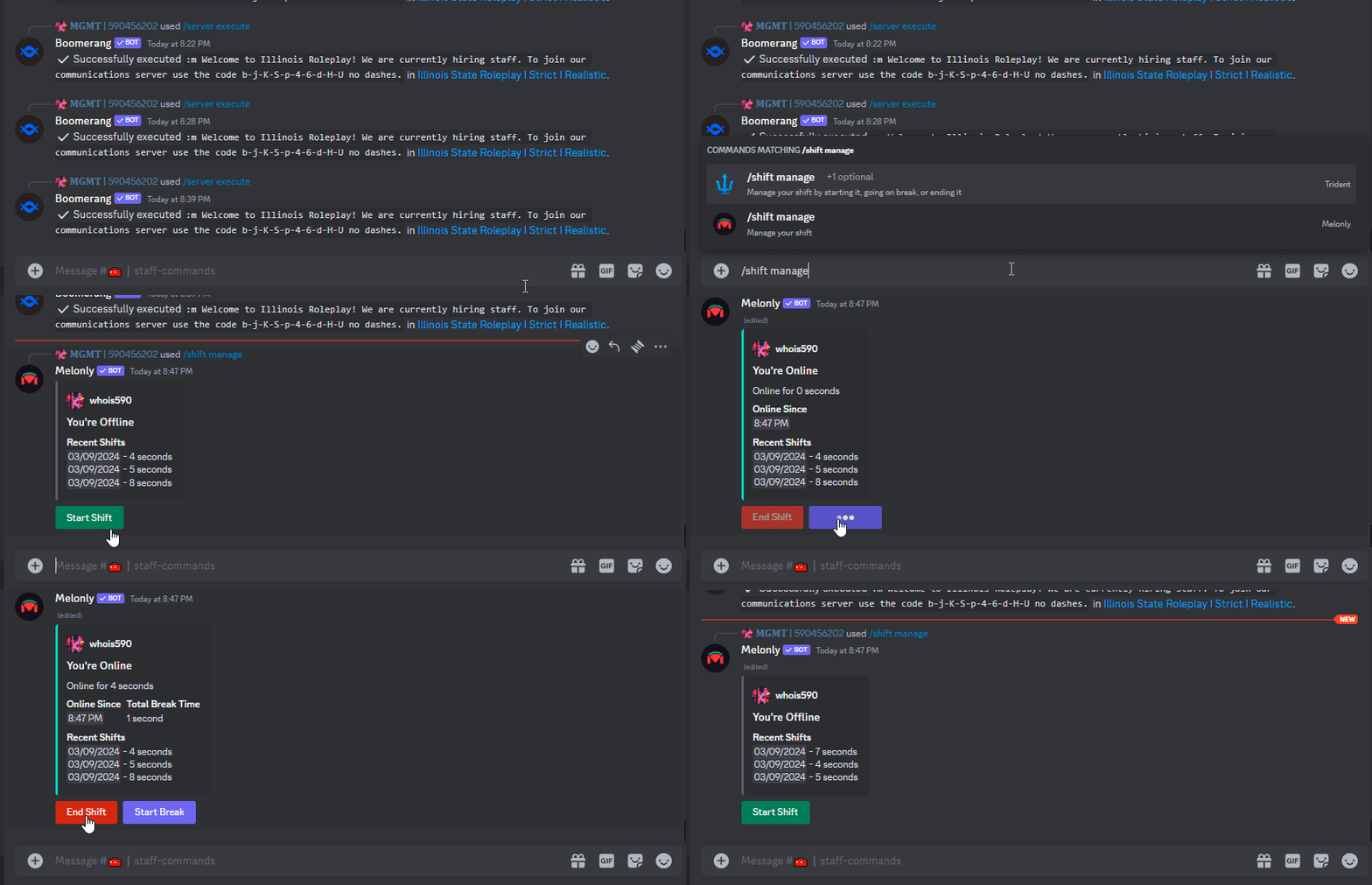
To use the Discord bot to manage your shift head to the staff commands channel, and run /shift manage with the Melonly bot. Use the buttons as directed in order to manage your shift, note there is no auto end feature for the bot and leaving it running while not moderating in-game may result in a shift wipe, infraction, or both.
This system can be seen below:
If you are unable to end your shift please open a ticket or contact a member of our HR team.