
#
Moderation Logging

Depreciation Notice
As of May 2025, we are discontinuing the use of ERM services and have migrated to Melonly.
Here at SoCal, we log moderations via Melonly, the guide below will assist on how to do so. It is required that you use the Melonly moderator panel via the website. If a warning does not need to be escalated to a kick, but you still think in-game staff should know about, then you can put information about the warning in the staff chat.
#
Melonly Moderator Panel
Request Access
The Melonly panel can be found here
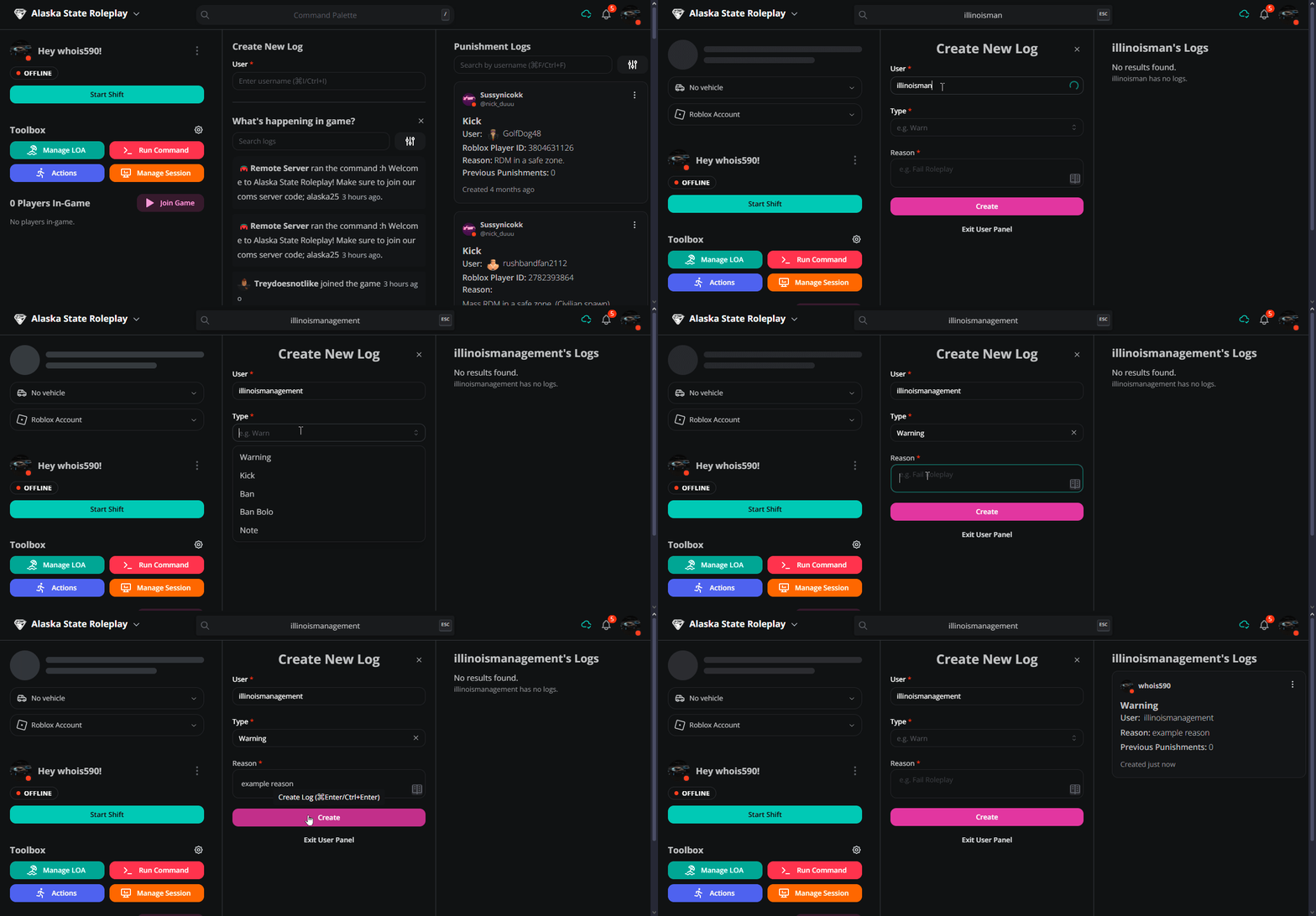
To use the website to issue moderations against users, head to the moderator panel on the dashboard and find where it says "Create New Log" below that fill out all the information and click create.
This system can be seen below:
#
Melonly Discord Bot
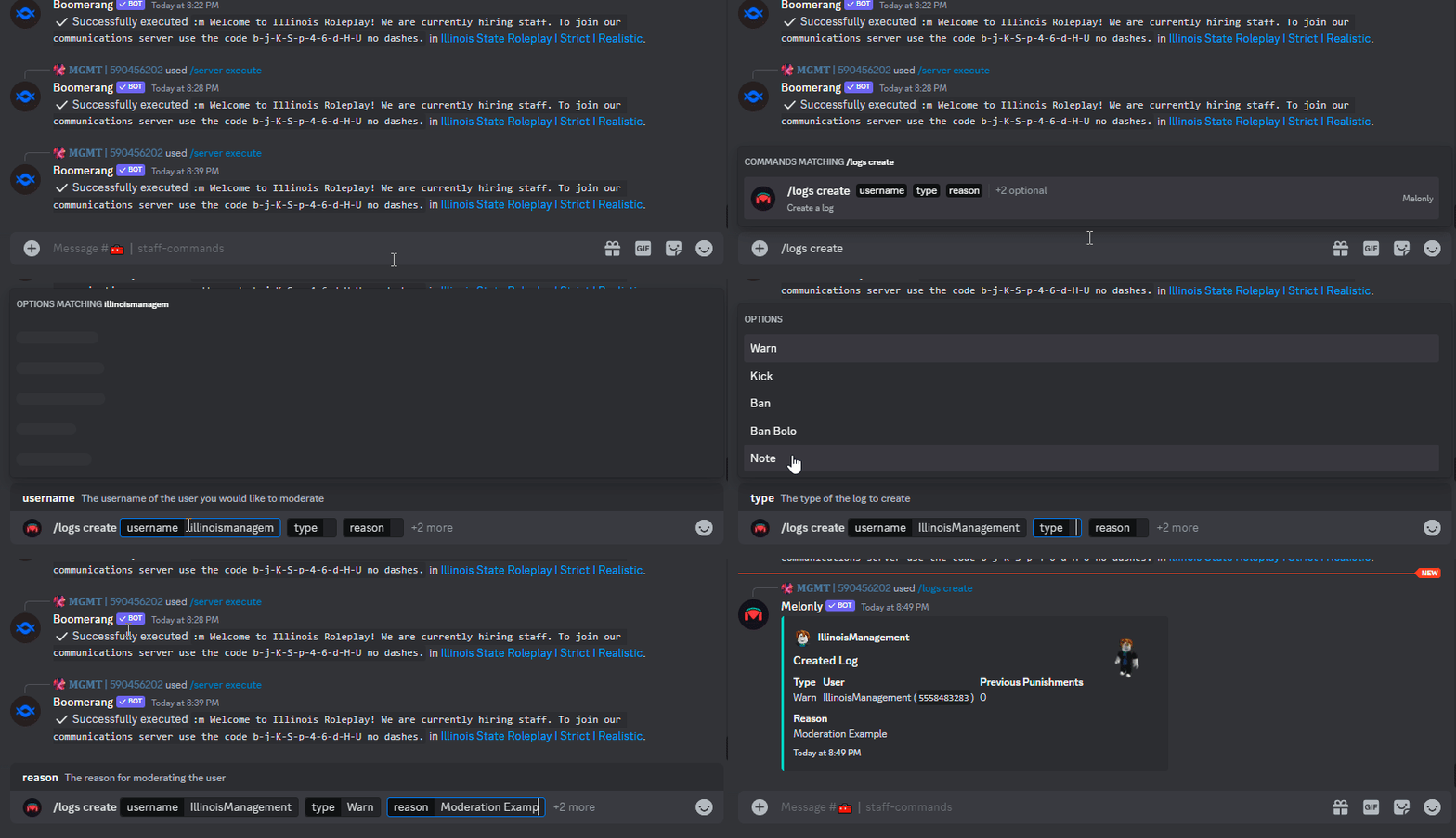
You may also log moderations through the Discord bot as shown below, this automatically syncs with the panel.
This system can be seen below:
The moderation system does not require any further action apart from the above. If you need a moderation reason changed, or a case voided, please contact a member of our HR team.